Upgrade to a Paid Plan
After signing up for a trial, or at any time while using Deratix, you can switch to a paid plan. The upgrade is simple and your data remains intact.
Where can you find the upgrade button?
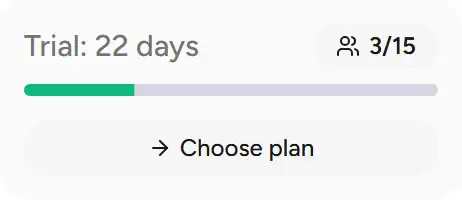
The Choose plan button appears in several places in the app:
| Location | When it appears |
|---|---|
| Sidebar widget (desktop) | During an active trial |
| Dashboard card (mobile) | During an active trial |
| Top banner | After the trial expires (grace period) |
Plan selection
After clicking Choose plan, a selection dialog opens:
- Choose a plan — Starter, Business or Premium
- Choose a billing period — monthly or annual (2 months free)
- Click Continue
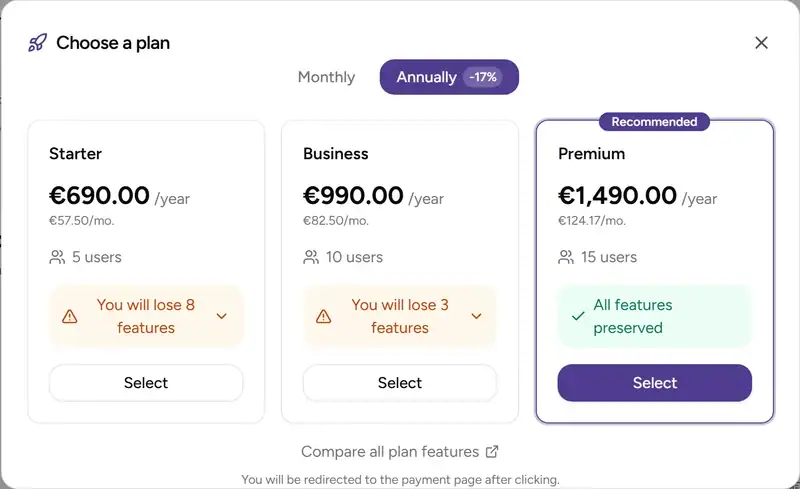
For a comparison of the available plan features, see Plans Overview.
Payment process
After selecting a plan, you are automatically redirected to the payment page:
- Automatic sign-in — the system signs you in to the billing portal
- Order review — your selected plan and price are shown
- Billing details — company name, company ID, address
- Payment method selection — bank transfer (other methods are coming soon)
- Order confirmation
Note: You do not need to remember any billing portal credentials. Sign-in is handled automatically via a secure link.
After payment
Bank transfer
If you choose a bank transfer:
- The payment details (IBAN, variable symbol, amount) are displayed on the confirmation page
- You will also receive the same details by email
- Once the payment is credited, your plan is activated automatically
- You will receive an email confirming activation
Tip: Include the correct variable symbol when sending the payment so it can be matched faster.
After the plan is activated
After a successful payment:
- The app updates automatically — your new plan is active immediately
- The sidebar widget changes to show information about your current plan
- Features included in the new plan become available right away
Changing your plan
If you need to change your plan later (for example from Business to Premium):
- Go to subscription management on license.deratix.com
- In the Subscription section, you will find the plan change options
- The price difference is calculated proportionally
Frequently asked questions
Will I lose data when upgrading from a trial?
No. All your data, including protocols, clients and settings, stays intact. Only your plan and the available features change.
Can I switch to a lower plan?
To change to a lower plan, contact support at support@deratix.com.
What if my trial has already expired?
You can still upgrade to a paid plan after the trial expires. The upgrade button remains available during the grace period. Your data stays preserved.