
In many pest control companies, deficiencies do get recorded — but only as a formality. A single note appears at the end of the protocol, the photo stays in the phone gallery, and at the next visit, everyone is trying to figure out what exactly the problem was and where it was found.
That kind of record is fine for the archive, but difficult to work with later. If a deficiency is to remain useful weeks down the line, it needs its own type, its own description, its own photos, and a place where it can be quickly found later.
A single general note is not enough
In a free-text note, real on-site problems, internal technician remarks, and issues that have already been fixed all blur together over time. It becomes impossible to filter or evaluate where structural, hygiene, or organizational problems keep recurring.
That is why Deratix tracks deficiencies separately in three groups:
- organizational,
- structural,
- hygiene.
This matters even during a routine inspection. A gap in a doorframe does not belong in the same sentence as improper goods storage or a missing internal procedure. Each problem gets its own category, its own text, and its own evidence. At the same time, deficiencies remain separate from client recommendations, so the description of a condition is never mixed with a proposed remedy.
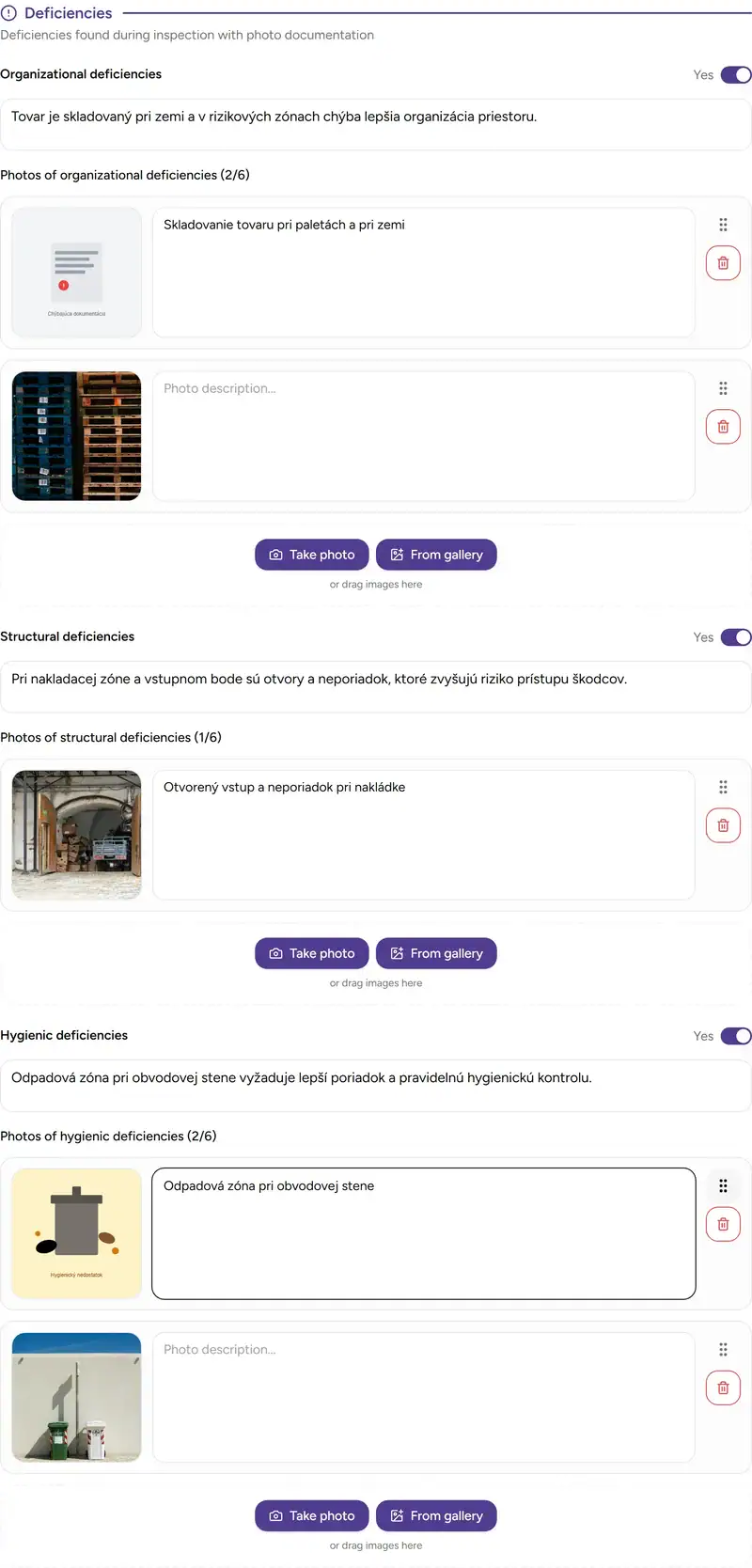
Photos belong to a specific problem
For each category, the technician first indicates whether a deficiency was found on site. Only then does the space for a description and photos open up. This way, the protocol does not contain half-empty sections — only the parts that actually captured something during the service visit.
The photo does not remain as a loose attachment without context. It is assigned to a specific type of problem and displayed together with it later on. At the next visit, you can immediately see whether it was a gap near the entrance, improper pallet storage, or a hygiene issue in the waste area.
A few practical conditions also apply:
- you can add up to 6 photos per category,
- each photo can be up to 10 MB,
- supported formats are JPEG, PNG, and WebP,
- iPhone photos in HEIC or HEIF format are processed automatically during upload.
The same context appears in the detail view and in the final document
Once the service visit is complete, deficiencies do not stay only in the form. They also appear in the protocol detail view, and the same structure carries over into the final document. The client does not read a vague sentence about identified issues — they see specific deficiency types with descriptions and photos.
The visibility of this section can also be configured based on where you want it to appear. It can remain only in the form and internal detail, or it can be included in the PDF and client-facing detail as well.
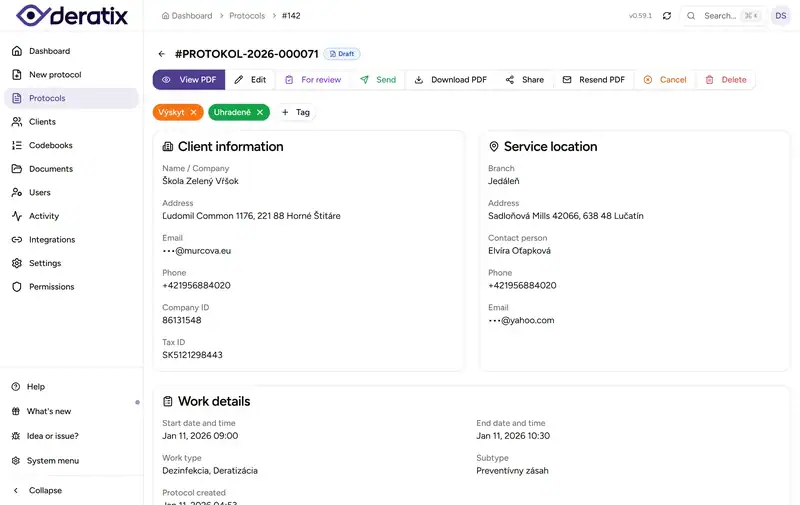
Weeks later, you can find them without scrolling through old records
Many companies manage to record a problem, but struggle to find it quickly later. When a client wants an overview of locations with structural deficiencies, or when an internal manager needs to review only hygiene issues, it turns into manually reading through old protocols.
In the protocol history, records with deficiencies display orange indicators by problem type. On hover, a brief description and photo count appear, and you can filter the history to show only organizational, structural, or hygiene deficiencies.
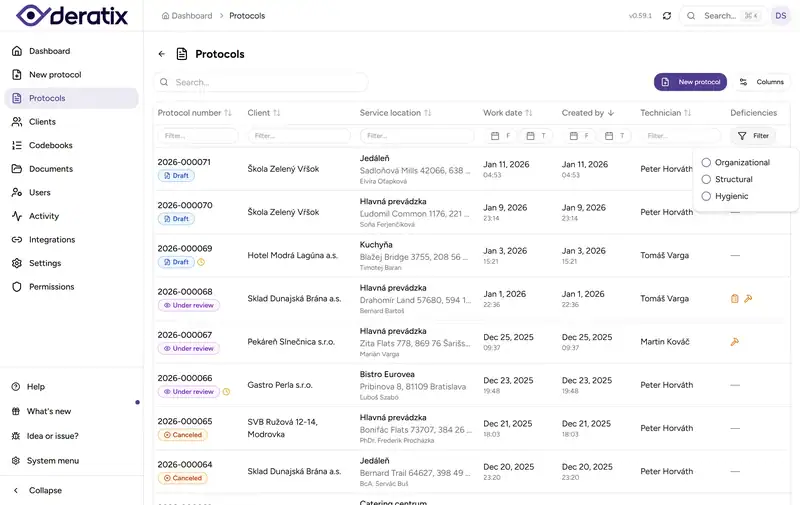
This turns a one-time record into usable evidence. You can pull it up later without manually searching, and use it for follow-up inspections, complaints, or internal reviews of where problems keep recurring.
Working conditions in the field
If a technician is working in a basement, warehouse, or facility without stable internet, deficiencies can be recorded just like during a regular service visit. Descriptions and photos stay with the draft protocol and are sent once connectivity returns. The final document and its delivery are therefore created only after a successful sync.
In practice, this means less improvisation. The technician does not need to save problems to the phone gallery, notes, or messages and manually re-enter them into the system later in the evening.
What this changes in practice
A discovered problem no longer remains as a single sentence at the end of a protocol. It has its own type, its own text, its own photos, and it appears in the detail view, the final document, and later in the protocol history. That is the difference between a formal record and evidence you can actually come back to.
If you would like to explore this area in more detail, continue to deficiency tracking, digital protocol, photo documentation, protocol history, protocol detail, and sections and visibility.