Arrive at the client and start filling in the protocol immediately
The technician arrives at the client. They open the app and based on GPS location it automatically suggests the nearby client. They select the site and contact details fill in automatically — contact person's name, phone, email. If anything has changed, they correct it directly in the form and save the update to the client record with one tap. Nothing to copy from paper, nothing to search for in a list. If it's a new client, they create them directly from the form — no switching between screens. The whole process from arrival to starting to fill in takes a few seconds.
The form adapts to what your company does
Every pest control company works a bit differently. Some specialize in rodent control, others focus mainly on insect control, others combine all service types. That's why you set up the intervention types and subtypes yourself — to match the services you provide. The form then adapts: it shows relevant materials, pests and recommendations based on the selected work type. You can also enable and disable form sections according to your needs — if you don't track installations, simply disable the section and technicians won't see it at all. The result is a form that exactly matches your work, without unnecessary fields.
A precise record of what you did and what you found
At each service you record exactly what you used and what you found on site. Materials are entered with quantity, unit and concentration — information essential for billing and regulatory purposes. Target pests are recorded with occurrence level, which shows at the next visit how the situation is developing. Installed devices — traps, monitoring stations, baits — are recorded with type and count. Everything is selected from pre-prepared codebooks that you manage yourself. Technicians don't type names manually, so records are consistent across the whole company. And since these are your own codebooks, they always exactly match what you work with.
Take photos of the site and the client sees exactly what needs fixing
The technician documents the site with photos during the service — taken directly from the app, with a caption added and sorted by dragging. If they find deficiencies on site, they categorize them — organizational, structural or hygienic — and add a description and photo as evidence to each. The client then sees in the PDF protocol exactly what was found and what needs to be fixed. Add recommendations from a prepared library — with illustrations and text that you customize for the specific situation. Recommendations are automatically filtered by work type and pest, so the technician only sees the relevant ones. The result is a protocol that isn't just a service record but a professional document for the client.
The client signs on screen and the protocol is complete
After completing the service you sign the protocol right there. Both client and technician sign with their finger on the phone or tablet screen — no paper, no scanning, no additional sending. Signatures are automatically embedded in the PDF which is generated in your company's design — with logo, colors and stamp. You then send the protocol to the client by email directly from the app, or the client can find it themselves in the client portal. If you don't want to send immediately, the protocol is saved and you can send it any time. The whole process from the last signature to delivery takes a few taps.
Even in a basement without signal you fill in the protocol as if you were online
Basements, storage rooms, production halls, rural sites — signal is often poor or absent. But that doesn't limit you. The form works exactly the same without internet — fill in all details, photograph the site, collect signatures. The whole protocol is saved on the device and automatically sent to the server when you connect. No need to check anything or tap anything — synchronization happens on its own. And if you accidentally closed the app or the battery died, you'll find the draft protocol exactly where you left off. Continuous auto-save runs non-stop so you never lose work in progress.
Manager prepares, technician adds the results
In the morning before setting out the manager opens the app and prepares protocols for the whole day. For each one they fill in the client, address, work type and any notes. The technician arrives at the client, opens the prepared protocol and only adds what they found on site — materials used, photos, device status. No admin to deal with, no contacts to look up, no work type to select. Everything is ready. When finished they submit the protocol for review or directly to the client. For larger companies with dozens of services per day this means technicians spend more time on field work and less time filling in forms.
The system flags missing data before you send the protocol
The technician fills in the protocol, taps send — and the system shows what is still missing. Client signature, photo documentation, materials, contact person. For each type of data you set whether the check should be off, shown as a warning or required for submission. Warnings are yellow — the technician sees them but can continue. Required items are red — without completing them the protocol can't be sent. And since managers and technicians have different responsibilities, settings are separate for each role. A manager can require photo documentation from technicians, but doesn't need that check themselves when approving.
Even a submitted protocol can be corrected — and nothing is lost
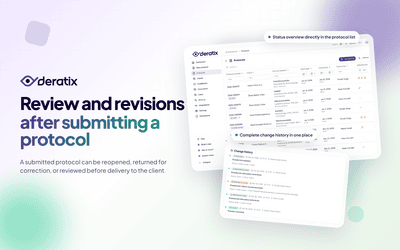
It happens that after submitting a protocol you spot a mistake — a typo in a material, a missing photo, wrong device count. Instead of creating a new protocol you open the original and create a revision. Fix what needs fixing, the original version is preserved and the new revision is marked with a number — so it's always clear which version is current. Every change is written to the protocol history — who changed what and when, which fields changed, what the original and new value was. If a question arises later about why something was changed, you have a complete record.