Fill in the whole protocol — from client to signature — even without signal
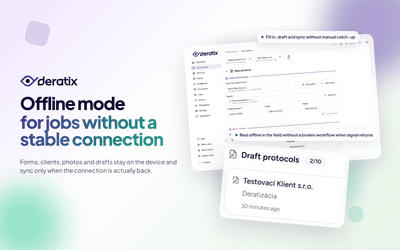
Basements, underground storage, rural sites — a typical workplace for a pest control technician. The form works exactly the same without a connection. Select the client, address, fill in all details, take photos, collect signatures. The entire protocol is saved on the device and sent automatically when you connect to the internet. No need to check anything or send manually.
Drafts are never lost
A phone call interrupts the technician, they need to move the car, or the battery dies. The draft stays saved on the device exactly as they left it. When they reopen the app they continue where they left off. Drafts survive a phone restart, the app being closed and a battery outage. Continuous auto-save runs non-stop, so just start filling in and don't worry about saving.
Everything syncs on its own when you reconnect
The technician gets back to the car, connects to a hotspot or walks into a building with signal. The app detects the connection, confirms it actually works — not just Wi-Fi with no internet — and synchronizes all pending protocols and photos. If the upload fails, it tries again automatically. You can see the sync status directly in the app. After successful upload the protocols appear in the list and are accessible to the whole team.
Codebooks and clients are on the device — technician selects from a menu even offline
On first connection all data needed for field work is saved to the device — client list with addresses, materials, pests, device types, recommendations. The technician selects from the same menu as when online. Each time they connect, data is automatically updated — if someone at the office adds a new client or material, the change appears at the next connection. The technician always works with current records.
App on the phone home screen — with its own icon and offline access
After adding to the home screen the app opens in its own window, with its own icon and without a browser address bar. Offline mode ensures the form, codebooks and saved data are available without signal. Synchronization and PDF generation happen when connected.