Skip to content

Deficiency tracking

Record identified issues directly in the protocol. Gaps in doors, missing screens, improper storage - all categorized and clear.

Deratix Deficiency tracking — desktop application screenshot showing the feature in action
Deratix Deficiency tracking — mobile app view with touch-optimized interface

Features

Three deficiency categories

Organizational, structural and hygienic, each evaluated separately

Photo evidence for each category

Up to 5 photos with descriptions for visual documentation of the site's condition

Clear display in PDF

Categories with photos and descriptions in the protocol, client sees exactly what to fix

Toggle with one switch

If you don't track deficiencies, disable the section and the technician won't see it

Works offline too

Photos and descriptions are saved on the device and sent after connection

Real-world examples

Systematic record of identified issues

At every service you record whether you found deficiencies on site — organizational, structural or hygienic. For each type you write a description and attach photographs as evidence.

Three deficiency categories

Organizational deficiencies (missing procedures, unmarked areas), structural (gaps in doors, damaged screens, malfunctioning doors) and hygienic (improper storage, contamination). Each category is assessed separately.

Photo evidence for the client

Add a photo to each deficiency directly from the field. The client can see exactly what needs to be fixed — and you have evidence of the site's condition at the time of service.

  • Up to 5 photos for each deficiency type
  • Clear display in the PDF protocol
  • Enable/disable with one toggle
  • Works offline too

Blog

Protocol planning with Google Calendar for the whole service team
New features
v0.62.0

Protocol planning with Google Calendar for the whole service team

The protocol calendar connects the visit plan, a prepared protocol for the technician, and optional synchronization with Google Calendar. The office plans work in Deratix while the technician also sees their day in the calendar they normally use.

June 7, 2026 5 min
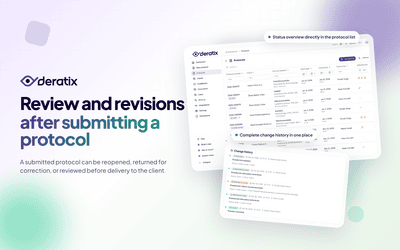
Protocols can be corrected, reviewed, and revised — anytime after submission
New features
v0.60.0

Protocols can be corrected, reviewed, and revised — anytime after submission

A submitted protocol doesn't have to be final. A manager can reopen it, return it to the technician for corrections, or review it before it reaches the client. Each of these options can be enabled based on what the company actually needs.

March 27, 2026 6 min
A digital protocol for the entire service intervention
New features
v0.51.0 v0.58.3 +1 more

A digital protocol for the entire service intervention

Client, site, materials used, photo documentation, signatures, and final delivery all stay in a single record. Technicians no longer need to piece together the result from notes, attachments, and manually tracked data.

January 9, 2026 7 min
Photo documentation with location, descriptions, and ordering
New features
v0.41.0 v0.8.0 +1 more

Photo documentation with location, descriptions, and ordering

Field photos stay attached to the protocol, complete with descriptions, ordering, and placement in the PDF. Technicians don't have to shoot photos into a separate gallery, and the office doesn't have to sort them later from emails and shared folders.

December 13, 2025 6 min
Deficiency Tracking with Descriptions, Photos, and History
New features
v0.6.0 v0.41.0 +2 more

Deficiency Tracking with Descriptions, Photos, and History

Organizational, structural, and hygiene deficiencies are recorded separately, each with its own description, photos, and traceability in protocol history. Records no longer get buried in a single general note.

November 27, 2025 5 min

Documentation

Stay in the loop

Be the first to know about updates and improvements.

By subscribing, I agree to email processing for newsletter purposes. I can unsubscribe at any time.