In 2026, the mere fact that a client has some kind of portal is no longer impressive. What matters is whether that portal actually reduces the number of emails, phone calls, and repeated requests like “can you send me that protocol from last month again,” “where do I find the SDS for this material,” or “who actually has access to this location.”
This is where pest control companies see the biggest gap between a streamlined workflow and a fragmented one. In one company, service results are stored in the system, documents live in a shared folder, some communication happens over email, and the client ends up requesting records manually anyway. In another, the client logs in and opens protocols, documents, and their service locations in the same context — and the office doesn’t have to forward the same files over and over.
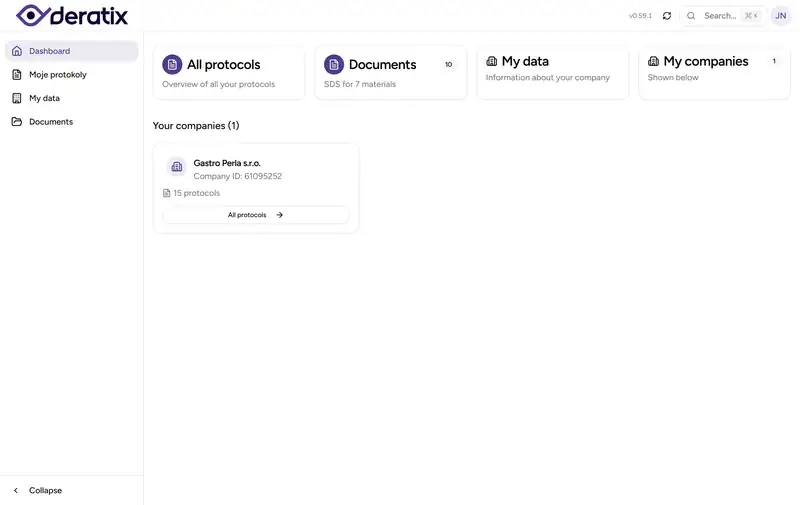
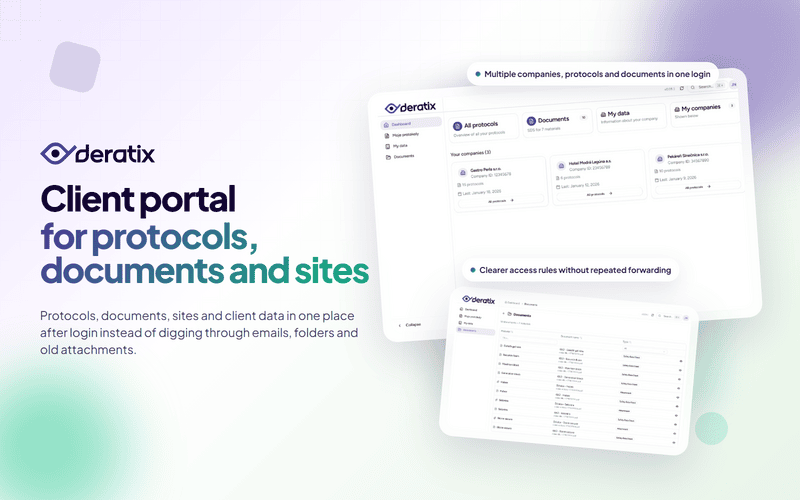
One login can cover multiple companies, but access can be narrowed
In practice, it’s common for one person to manage multiple companies or multiple locations at once. A facility manager oversees several companies in a group, an office manager handles multiple branches, or an owner needs visibility across several locations without switching between three different accounts.
The client portal therefore doesn’t assume a simple “one account, one company” model. A single user can be assigned to multiple clients and switch between them within the same account after logging in. This means the office doesn’t need to create duplicate accounts just because the same person oversees multiple records.
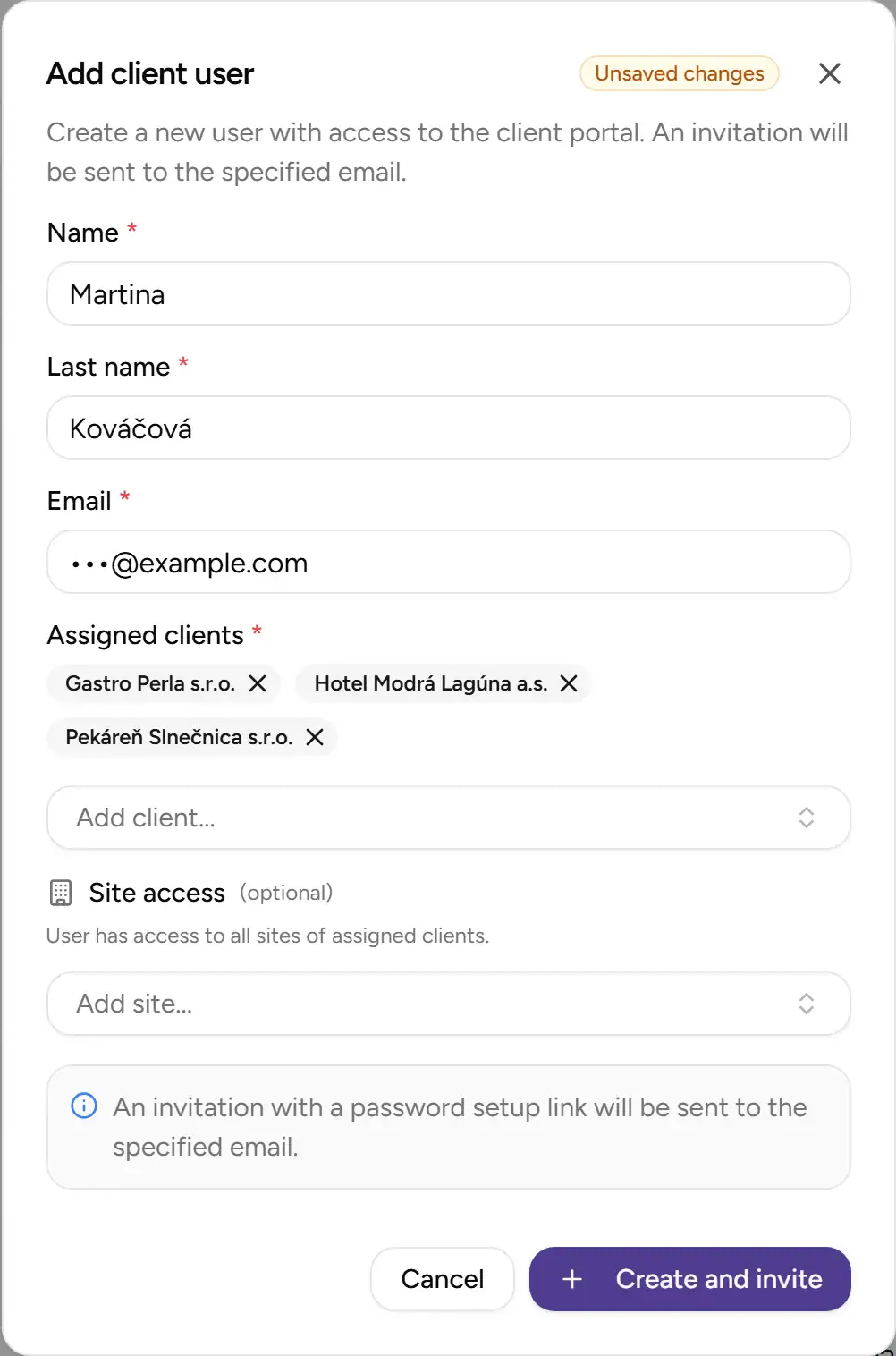
Importantly, this is not unrestricted access. If a user has no special restrictions, they see locations for all assigned companies. But if you limit their access to specific locations only, the portal shows just those. This matters where one person manages multiple companies but shouldn’t have access to every service location.
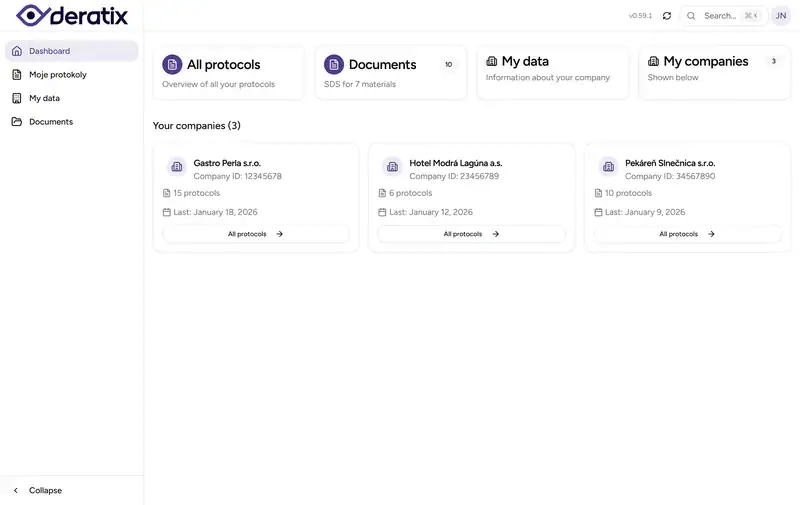
This setup is more practical than the typical improvised approach of shared passwords, forwarding PDFs between colleagues, or maintaining multiple separate accounts for the same person. Access better reflects the client’s reality while remaining clear for your office as well.
Clients find protocols by company and location, not buried in attachments
When a client needs documentation for an audit, a complaint, or an internal review, they’re usually not looking for “some PDF from an email.” They’re looking for a specific service at a specific location. When protocols are scattered across attachments, shared folders, and older messages, that’s exactly the kind of manual searching that unnecessarily burdens both sides.
In the portal, protocols are linked to the companies and locations that the user has access to. The client doesn’t just open a generic archive — they see records in the right context. For larger customers, this is the difference between “we know it was somewhere” and quickly opening the correct service record.
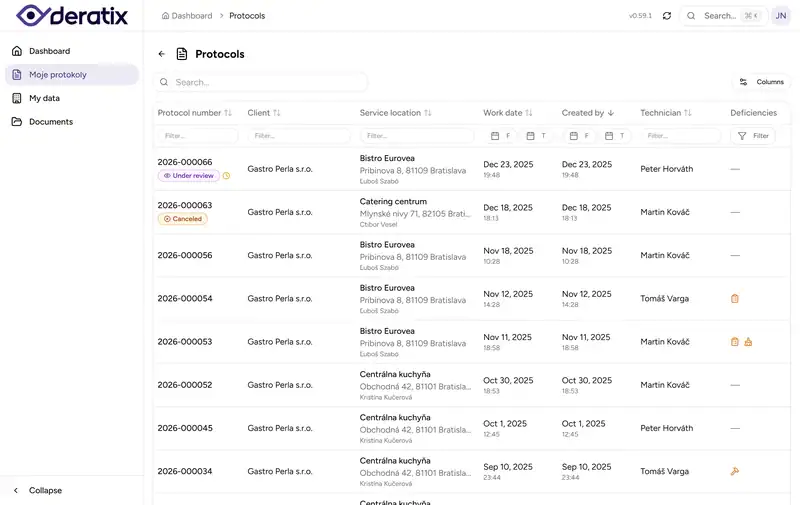
This changes more than just client convenience. It also changes the workload on the office. When the client can find their service history on their own, the repeated forwarding of the same attachments and searching for older documents in internal communication simply goes away. The portal works not as a marketing add-on, but as a practical layer on top of real operational data.
Documents follow clear rules, not open chaos
With documents, the biggest problem is that companies often mix different types of records together. Some are stored with materials, others with clients, more in a shared folder, and the client ultimately doesn’t know what’s current, what belongs to a specific location, and what they should even be requesting.
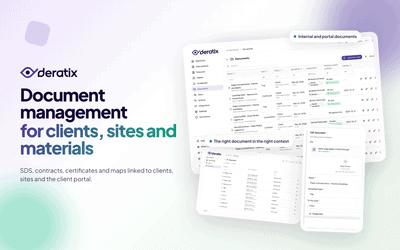
The client portal therefore doesn’t display “everything that exists.” It shows only documents that make sense from the client’s perspective. For location documents, this means the client only sees those that have been explicitly made available for the portal. For materials, the portal collects related records based on materials used in protocols over the past 24 months. If a material didn’t appear in any service during that period, its document won’t show up for the client just because it exists somewhere in the system.
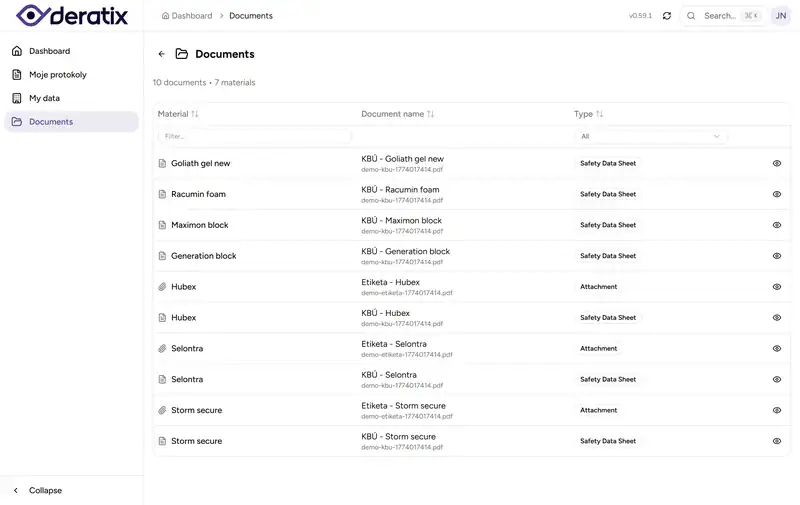
This rule matters from a practical standpoint too. The client doesn’t receive an unmanageable “dump” of every file, but only records related to their company, their locations, and actually used materials. Your office, in turn, doesn’t have to think about which file to send and which not to with every request.
The client also sees their own data and locations in the same context
The portal isn’t useful just for reading protocols. In day-to-day operations, it often helps that the client can see basic company information, contacts, a list of service locations, and other related details in one place. When a contact person changes, a new location is added, or someone needs to check where records are being sent, there’s no need to dig through old emails or various spreadsheets.
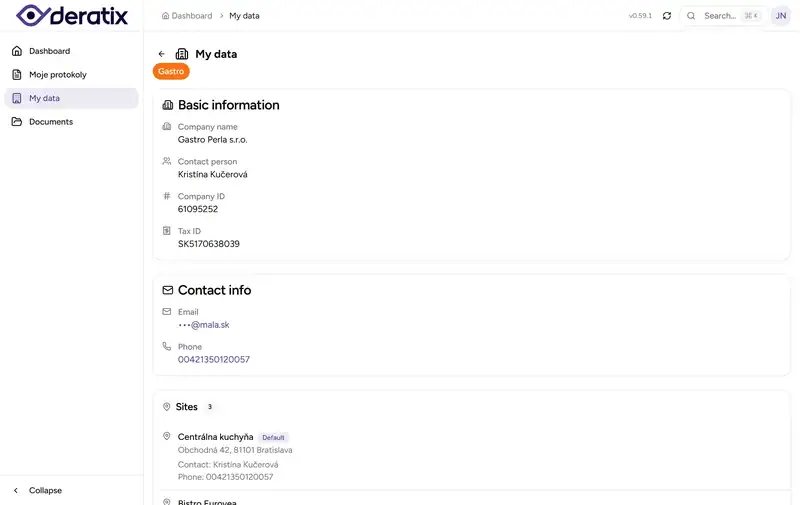
An important aspect of the My Data section is that the scope isn’t the same for everyone. Some clients have read-only access, while others can edit their contact emails. Here too, the portal is not a universally open space but a configurable access level based on what each user actually needs to do.
This also helps with internal order. Instead of a situation where the client sends a contact change by email and your office has to manually transfer it between multiple places, some of these updates can be handled directly where the client works with the data.
For the office, manageable access control matters
From a pest control company’s perspective, a client portal isn’t good only when the client finds it easy to use. It also needs to be manageable. That means being able to invite a client, add another company, revoke access, or restrict it to specific locations — all without workarounds outside the system.
This is where the difference from the typical fragmented approach becomes clear. When a company operates through shared mailboxes, manual attachment forwarding, and informal agreements about who can see what, order breaks down after a few months. Eventually, nobody knows exactly who received which document, who has old records saved on the side, and who still has to ask for them.
In the portal model, access management is part of normal operations. You can see which user is assigned to which companies, whether they have access to all locations or just selected ones, and you can adjust it without changing the actual content of protocols or documents.
What the client portal actually changes
The client portal isn’t interesting because it adds another screen. It becomes important when it reduces the number of routine requests that many pest control companies still handle manually: sending an old protocol, finding a document for a material, explaining which locations someone has access to, or checking whether a contact change has already been updated somewhere.
If the client can find protocols, documents, companies, and locations in a coherent context after logging in, the portal saves time on both sides. If it were just another place where a few PDFs are stored without any rules, the benefit would be minimal. That’s the difference between a genuinely usable client portal and just another file repository.
If you’d like to explore the portal in more detail, continue to client portal, documents, client management, client portal documentation, portal documents, inviting a client to the portal, my data in the portal, and user management.