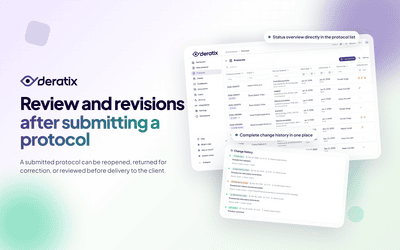
SDS sheets, contracts, maps, and certificates quickly end up scattered across your company. Some are in emails, some on a shared drive, some saved by a colleague, and some only get tracked down when a client or an inspector needs them right now.
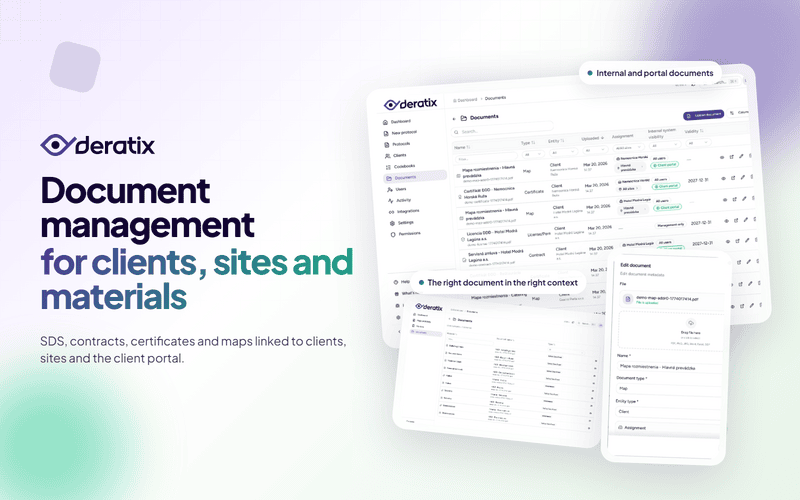
Document management in Deratix brings all these files together in one place and links them to clients, sites, materials, and the client portal. In practice, that means less searching, less forwarding attachments, and more confidence that you are opening exactly what you need.
When every document belongs in the right place
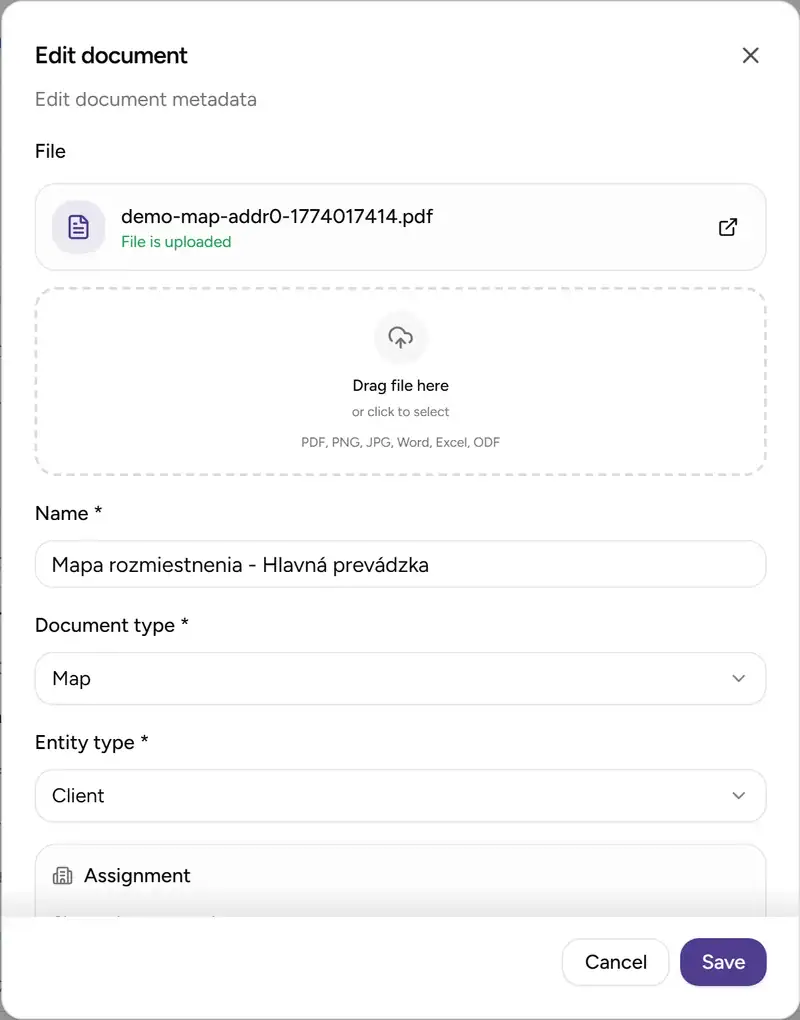
The real value is not having another file list. It is the ability to assign a document exactly where it belongs.
- To a material — for example, an SDS sheet or a product certificate.
- To a client — a contract or a general document that applies to the entire company.
- To a specific site — a map, floor plan, or any other document relevant only to that location.
- To a user — competence certificates and permits.
- To a protocol — an attachment linked directly to a completed service visit.
That is the difference between a document existing somewhere and actually finding it where you would naturally expect it.
For sites, scope of validity matters too
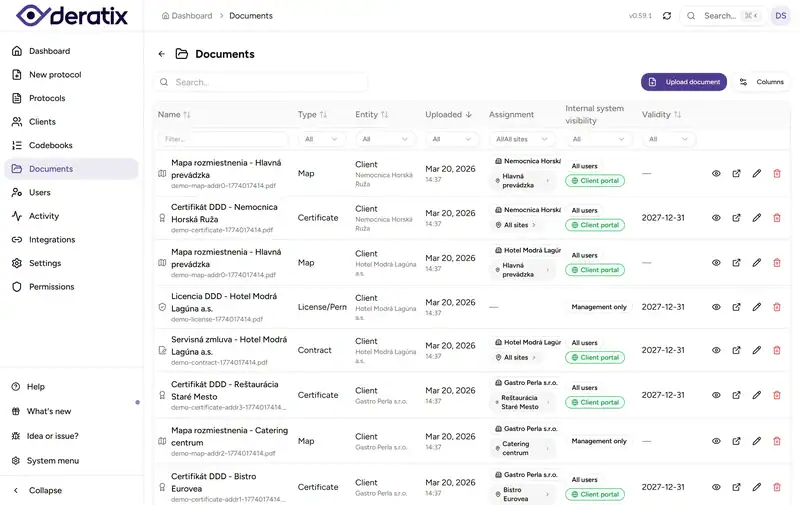
With client documents, it is not enough to know who they belong to. You also need to know which sites they apply to. Some documents cover the entire company, others just a single warehouse or branch.
That is why you can specify whether a document applies to one site, multiple selected sites, or all of a client’s sites. And if it makes sense, the document also appears on the client card, so you can reach it from two places without uploading it twice.
This is especially practical for maps, floor plans, and reference materials that are tied to a specific location rather than the company as a whole.
Clients see only what is relevant to them
Many companies face two different needs at the same time. Internally, you need a wide range of documents at hand, but you only want to show clients the materials that are useful to them.
That is why every document has two separate visibility layers:
- internal visibility for your team,
- portal visibility for the client.
In practice, this means you can keep internal documents restricted to management or specific roles, while giving clients access to SDS sheets, site maps, or certificates — without having to dig up an attachment and email it every time someone asks.
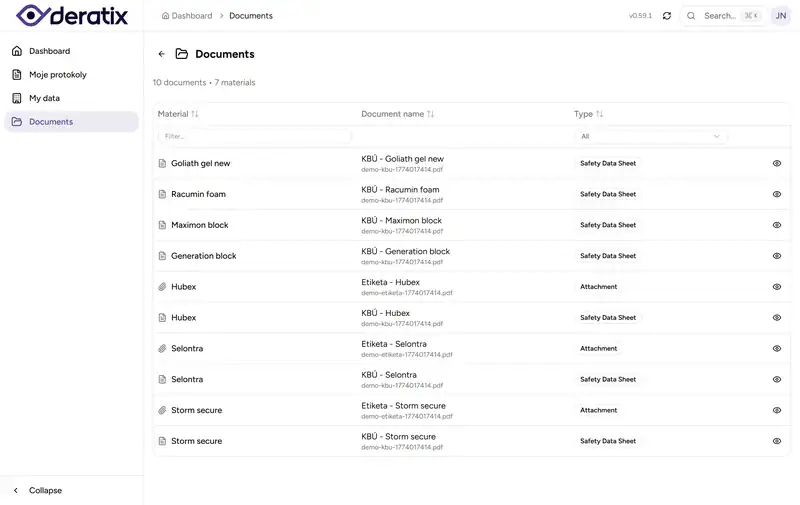
Deratix does not treat the portal as an afterthought. Clients see the documents that have been shared with them. If they have multiple sites, they can also view documents tied to a specific location.
SDS sheets appear in the portal automatically based on materials used
When a technician records a material in a protocol, the client then sees the corresponding SDS sheet in the portal for what was actually used at their sites.
However, not every SDS sheet from the materials list is shown. They only appear when both of these conditions are met:
- an SDS document has been uploaded for the specific material
- that material was used in a protocol within the last 24 months
When these conditions are met, the client has the SDS sheets ready in the portal — no manual searching, no repeated email attachments.
In practice, this matters most when a client requests documentation for past service visits, is running an internal audit, or needs to verify which chemicals were used. Instead of emailing attachments back and forth, these SDS sheets are available directly in their portal.
Document validity under control
Document management is not just useful for sharing files with clients. It is equally important for keeping your own house in order.
You can track document validity and quickly filter by:
- what has already expired,
- what is approaching its expiration,
- what is still valid.
This is especially valuable for certificates, competence proofs, and permits. You do not have to wait until a problem surfaces on its own. You can check in advance what needs renewal, and during an audit you immediately know which documents are current.
A real-world example
A technician heads to a retail chain location for a routine service visit, and the client simultaneously requests SDS sheets for the products used and a site map for an internal audit.
Without organized documents, this usually means the technician calls the office, the office digs through old folders, and the client waits. Sometimes the wrong version gets sent, or a document for a specific site is missing altogether.
With document management in Deratix, you open the client or the specific site, see the assigned documents in context, and share them via the portal if needed. The client can then find them on their own, and the technician does not have to deal with paperwork during the visit.
The bottom line
Document management did not just add another place to upload files. It brought order to who a document belongs to, who should see it, and where you will find it when you need it.
For the back office, it means less tracking down files and less forwarding attachments in circles. For technicians, fewer phone calls during service visits. For clients, easier access to the materials they regularly need from you.
If you would like to explore this feature in more detail, check out document management, client detail, and documents in the client portal.