Inspection asks for an SDS. You know exactly where to find it.
The client wants the safety data sheet for a product you used at their site last month. An inspector requests a technician's certificate. The insurance company needs a copy of your liability policy. Instead of searching through folders and old emails, you open the app, select the client, material or technician — and the document is right in front of you. You can view PDFs directly on screen, no download needed.
Every document in the right place
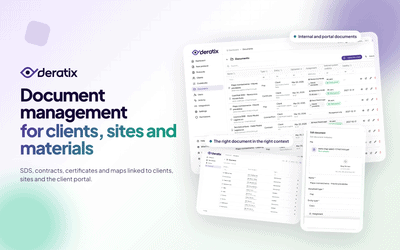
A pest control company works with many types of documents and each belongs somewhere different. Safety data sheets belong with the materials you use during services. Certificates, competencies, licenses and insurance belong to specific technicians. Contracts belong to clients. Maps and attachments belong to completed services. When you assign a document to the right place, everyone in the company finds it exactly where they expect it — not in a separate archive without context.
- SDS and certificates assigned directly to the materials you work with
- Competencies, licenses, insurance and contracts stored against specific technicians
- Contracts and supporting documents assigned to clients
- Site maps and attachments linked to completed protocols
A contract covers the whole company, a map applies to one site
Not every document applies to a specific address in the same way. A contract with a client usually covers all their sites. A site map is specific to one building. That's why you choose for each document whether it applies to all client addresses, only selected sites, or is not linked to any address. When you later add a new site for a client, documents set to apply to all addresses appear there automatically. The question of which site a document belongs to never arises.
A contract stays internal, an SDS is visible to the whole team
Not every document is for everyone. Internal contracts and pricing documents shouldn't be visible to field technicians. A technician's certificate can be useful for the whole company. An SDS should be accessible to anyone who works with that material. For each document you set who can access it — the whole team, management only, selected roles or only you. You decide separately whether the document is also shown to the client in the portal. Company and client visibility don't mix — you have full control over both.
You know what needs renewing before an inspection finds out
Storing certificates, competencies and insurance isn't enough — you need to know if they're still valid. You enter an expiry period for each document and the app then clearly shows at a glance what is current, what is approaching expiry and what has already expired. Before an inspection or internal audit you filter all expired documents at once — across technicians and materials. Instead of searching you work through a concrete task: what needs renewing and what is already sorted.
The client finds what they need themselves
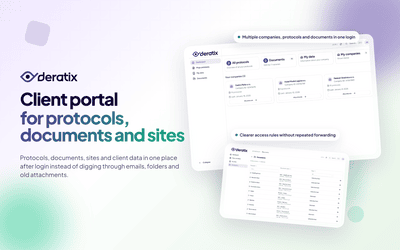
A real benefit comes when a client needs a document without calling or emailing you. In the client portal they automatically see the SDS for materials used in their protocols over the last two years. You can also share additional documents assigned to specific sites — contracts, maps, attachments. The client has everything they might need to present at an inspection in one place. For your company that means fewer calls, less sending attachments and more peace of mind.
Hundreds of client documents in minutes instead of days
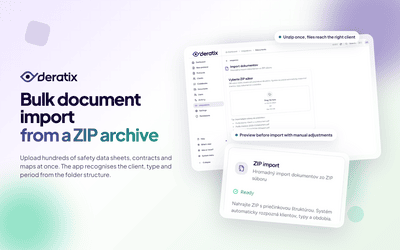
When you take over the records of a new company or migrate data from a disk, you often have hundreds of files organized in folders by client. Instead of uploading them one by one, you upload the entire ZIP archive at once. The application recognizes folder names as client names, identifies the document type (SDS, certificate, license, permit, qualification) from the file name, and also detects the period — month and year. Before saving you see a preview with match probability for each file and can adjust assignments manually. Duplicates are detected automatically so you don't save the same document twice.
- Automatic client detection from folder structure in the ZIP archive
- Document type recognition from file name (SDS, certificate, license...)
- Period detection (month/year) from folder and file names
- Preview with match probability and manual adjustment option before saving
- Automatic duplicate detection at client and user level
Old documents aren't lost but they won't clutter your view
An old contract, an original certificate or a replaced attachment — sometimes you don't need them daily but you don't want to lose them either. You don't have to delete documents to keep your list tidy. Just archive them — they disappear from the everyday view but are preserved in case you ever need them. Combined with filtering by type, validity, author or visibility you always have a clean workspace and the security that your company's history is safe.