When a company switches to a new system, the most time-consuming part is often not the training itself but transferring the client database. Names, addresses, contact persons, sites, and company details. If done manually, even a modest list turns into tedious admin work and errors start piling up before a technician even heads out to the field.
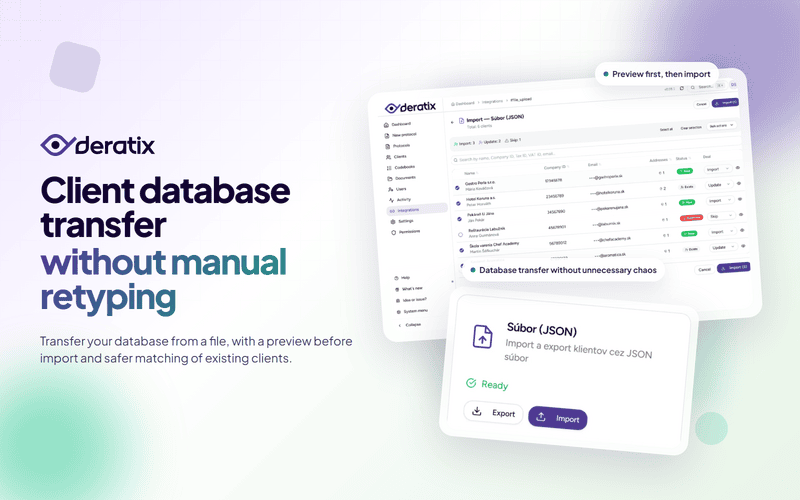
Deratix now includes client import from a file. Not as a blind database upload, but as a controlled process where you can review what will be created, what will be added to existing clients, and what is safer to leave aside for now — all before you confirm.
When you don’t want to start by retyping everything
This feature makes the most sense when you already have client data somewhere and just don’t want to re-enter it one by one. Typically when starting with Deratix, switching from another record-keeping system, or transferring a database between two environments.
In practice, you’re not just importing company names. Along with each client, addresses and other important details are transferred too, so you don’t have to manually complete every record after the import.
Preview first, import second
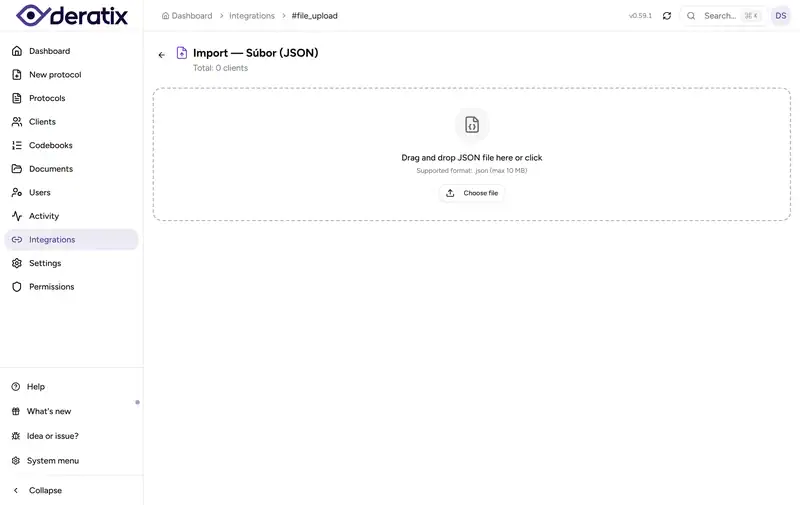
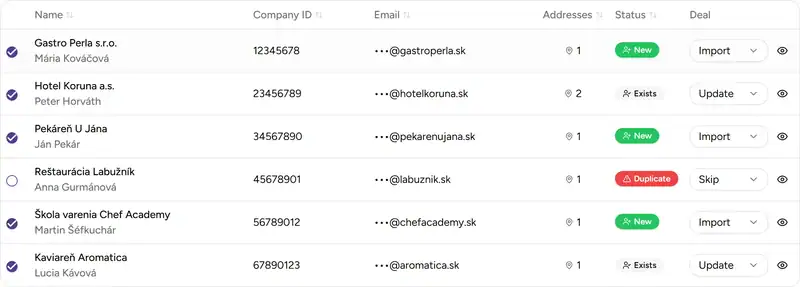
One of the most important aspects of this solution is that nothing happens blindly. After uploading a file, Deratix first prepares an overview showing how many clients are new, how many are proposed to be merged with existing ones, and which items deserve a closer look.
This matters especially when you’re importing a larger volume of data. Instead of the feeling of “hopefully it went well,” you have a clear picture of what’s about to happen before the database changes.
- Spot issues in the source data before the actual import takes place.
- See the difference between new and existing clients, so the result doesn’t catch you off guard.
- Decide item by item, not with a single bulk click and no oversight.

Deratix plays it safe with existing clients
The challenge with imports isn’t just adding a new client. The real problem is distinguishing whether a record is a new client or a company you already have in the database under a slightly different name, with a different contact person, or with an additional site.
That’s why Deratix matches existing clients based on company ID and contact details, not just the name. And when the match is weaker, the system doesn’t pretend it can decide for you.
In practice, this means:
- stronger matches are proposed as additions to an existing client,
- weaker matches based only on the name are clearly flagged and skipped by default,
- unclear cases can be opened and compared side by side before you decide.
This is exactly the kind of detail that saves a lot of headaches during import. Similar company names come up all the time in practice, and that’s precisely where both manual and automated imports are most error-prone.
Important for companies with multiple sites
Many pest control companies don’t treat a client as just a single company card. One client often has multiple sites, different contact persons, and separate service locations. That’s why it’s important that the import doesn’t simply work on a “replace old with new” basis.
If a client already exists in Deratix, the import can add new addresses while keeping what you already have correctly set up intact. If an imported address matches an existing one, it won’t create an unnecessary duplicate. If it’s a new site, it adds it to the client.
This is very important in practice. The database can grow without you having to clean up chaos after the import, merge duplicate addresses, or fix a client record that looked fine before.
Real-world example
Imagine a company migrating its clients from a previous record-keeping system into Deratix. The list contains hundreds of clients, some with multiple sites — warehouses, retail locations, or branches in different cities.
Without the import, admin staff would retype clients manually and technicians would spend days running into missing addresses, contacts, or entire sites in the database. With the import, you upload a prepared file, review new and existing records in the preview, leave weak name-only matches to be skipped, and confirm what makes sense.
The result isn’t just a faster-filled database. The real result is that both the office and technicians can work normally the next day without chasing the mess left by manual data entry.
What this means for your company
The client import isn’t interesting because it “can import.” It matters because it helps you get through one of the most unpleasant parts of a transition or database expansion without unnecessary stress.
For the office, it means less manual retyping and a lower risk of errors. For the company, greater control over what gets added to existing clients. And for technicians, a faster-prepared database they can start working with right away on protocols and service calls.
If you’d like to explore this process in more detail, check out client management, the integrations overview, the client database, and if you use the SuperFaktúra accounting system, the detailed integration guide.