When a service record is scattered across multiple places, the problem is not just a few lost minutes. The bigger issue is that information drifts apart. The client is in one system, the contact in an old email, photos in the phone gallery, the signature is separate, and the final PDF is only created later based on whatever can be tracked down.
The digital protocol in Deratix keeps this entire flow in a single record. The technician starts at the client site, fills in the intervention details, adds photos and signatures, and the result is used downstream without retyping. The back office then receives a complete, traceable protocol instead of a half-finished bundle of supporting documents.
Starting the intervention without manual retyping
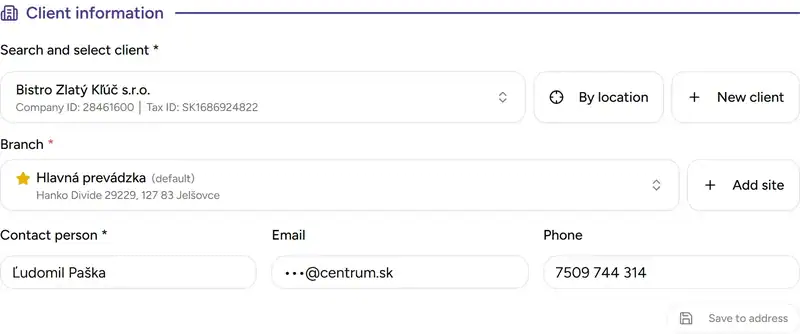
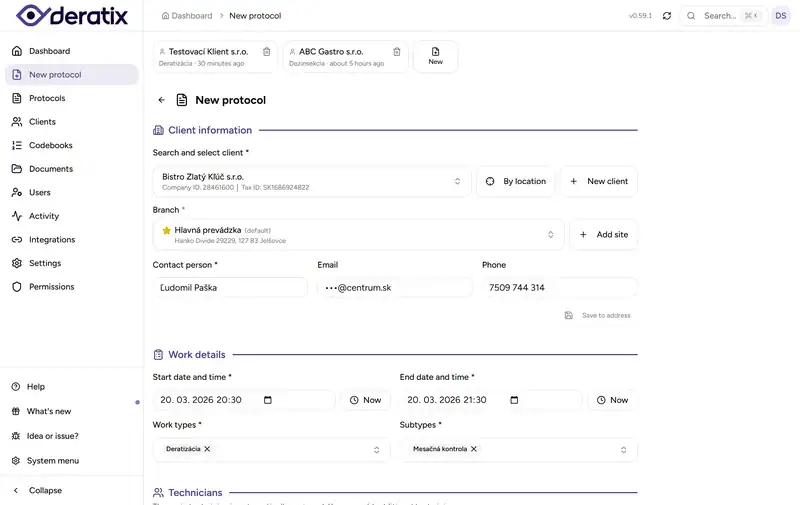
When creating a protocol, you do not fill in everything from scratch. You select the client and site, contact details are pulled into the form, and the technician can continue from there. If a contact or email changes on-site, it is updated directly during the intervention instead of leaving a mismatch between reality and the client record.
In practice, this shortens the first few minutes after arrival the most. Instead of searching for the right site in old notes or across multiple lists, you work with a single form that already knows the client, address, and primary contact. If the technician arrives based on GPS, the app can also suggest nearby clients and speed up the selection.
The form adapts to how your company actually performs interventions
Pest control companies do not all follow the same workflow. Some need a simpler protocol, others require more detailed sections, more intervention types, different recommendations, or more precise tracking of materials and equipment. That is why entire sections can be toggled on and off in the protocol, and work types and subtypes adapt to your own records.
It is also important that when creating a new protocol, the most frequently used work types and subtypes can be pre-filled. The technician does not start on a blank screen and does not have to click the same options every time just to get to the actual intervention.
In practice, this difference is bigger than it appears at first glance. In a fragmented workflow, the problem often starts with everyone recording things slightly differently. One person uses their own service name, another uses a different abbreviation, and a third leaves it in a note. Here, the record format stays consistent even as the company grows and more people work on protocols.
What you did on-site is recorded once and used from there
Materials used are recorded with quantity, unit, and concentration. Target pests can be tracked with infestation level. Installed devices are recorded with type and count. These details then serve more than just archiving. They come back during the next visit, in reports, in the PDF, and during internal lookups.
This is the difference compared to a situation where the technician writes something down but the back office cannot work with it without manual explanations. When materials, pests, or devices are in a unified list, the company gets consistent records across the entire team, without duplicate names or free-text notes that everyone interprets differently.

Photos, deficiencies, and recommendations have their own place in the same protocol
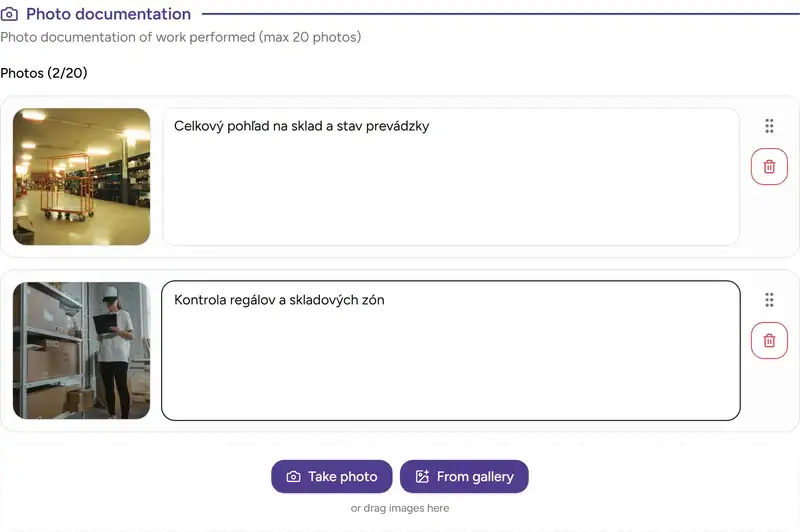
A digital protocol is not just a text record. It separately holds photo documentation of the site condition and separately tracks deficiencies. Photos are added directly during the intervention, can be reordered, annotated with descriptions, and remain part of the protocol instead of ending up in the phone gallery or a shared folder without context.
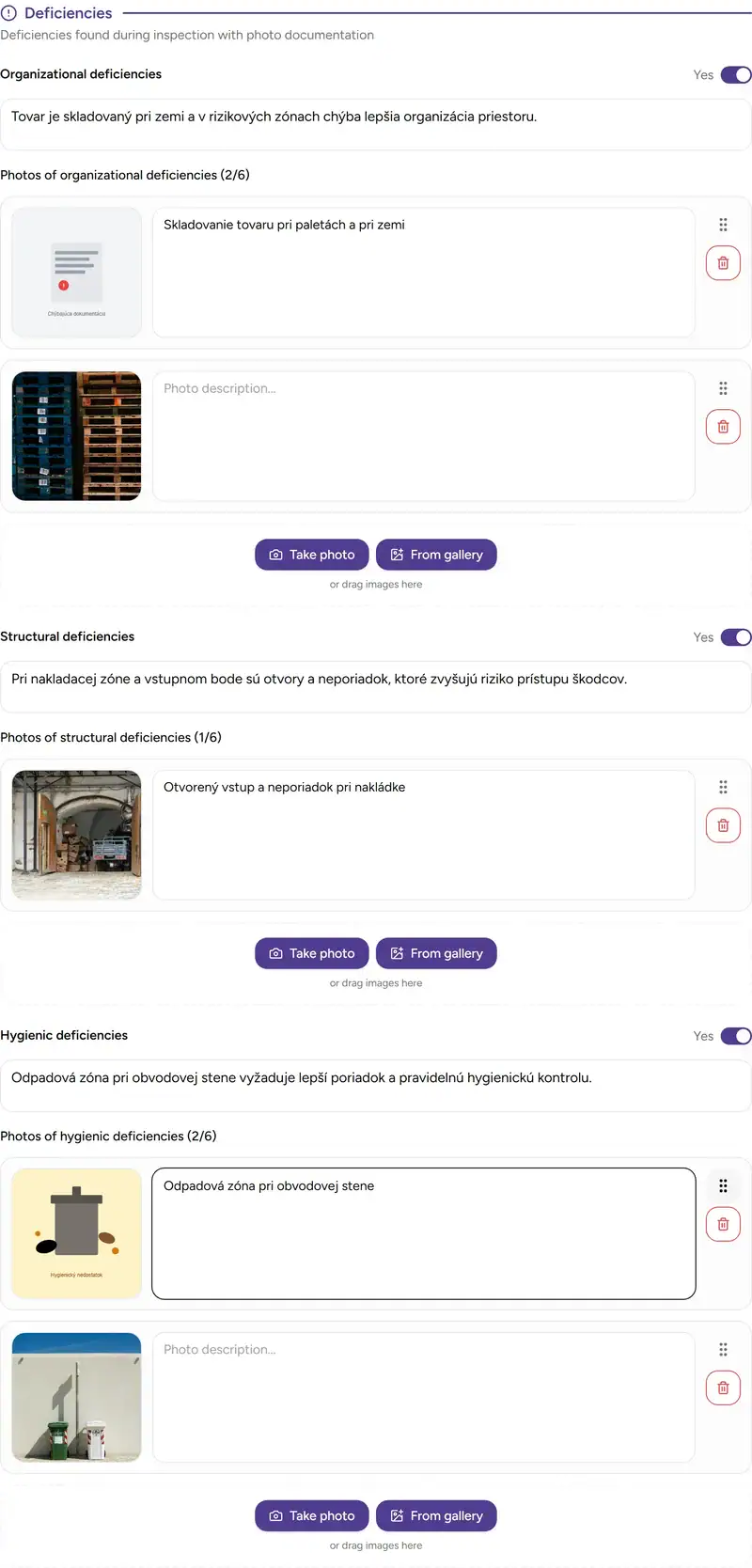
Deficiencies are recorded by category. Organizational issues separately, structural issues separately, and hygiene issues separately. Each category can have its own description and its own photos. The client then sees not just a generic statement that something was found, but the specific type of problem along with visual evidence.
On top of that, recommendations for the client can be added. If the company uses a prepared recommendation library, the technician selects from relevant options and adjusts them as needed for the specific situation at the site. The result is useful for the client, the back office, and future inspections alike.
Submission is not just the final click
Both the client and technician signatures are captured directly on the device. After submission, the signatures are embedded in the PDF, and the protocol can be delivered by email, made available to the client in the portal, downloaded, or shared depending on how the company operates.
Importantly, submission can be tightened according to internal rules. The company can require signatures, photo documentation, recommendations, or a contact person before the protocol is considered ready for submission. This is especially helpful where protocols do not end with the technician but further support claims, quality control, or client communication.
In other words: it is not just about being able to generate a PDF. What matters is that before submission, you can ensure nothing essential is missing from the protocol.

A work-in-progress protocol does not get lost in the field
During an intervention, it is often impossible to complete everything at once. The technician moves between rooms, the client interrupts, something needs to be resolved after the inspection, or there simply is no stable signal on-site. That is why the protocol has continuous saving, and work-in-progress versions remain available even after closing the app or after a device failure.
When there is no internet, the protocol can still be filled in, including photos and signatures. Once reconnected, pending records sync automatically. The app does not just check whether the device is connected to a network, but whether it actually has a working internet connection. This is especially important in basements, warehouses, production halls, and locations where the device appears to be online but cannot actually send anything.

When something needs to be corrected, you handle a revision, not chaos
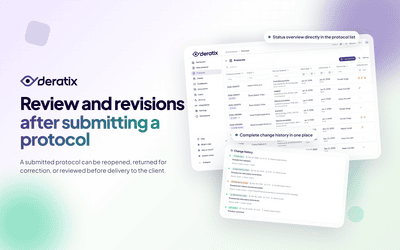
Even a well-designed process occasionally needs a correction. A missing photo, an added detail, a clarified description, or an edit after a review. In that case, the already submitted protocol does not turn into an opaque replacement on the side. A new revision is created and the change history is preserved.
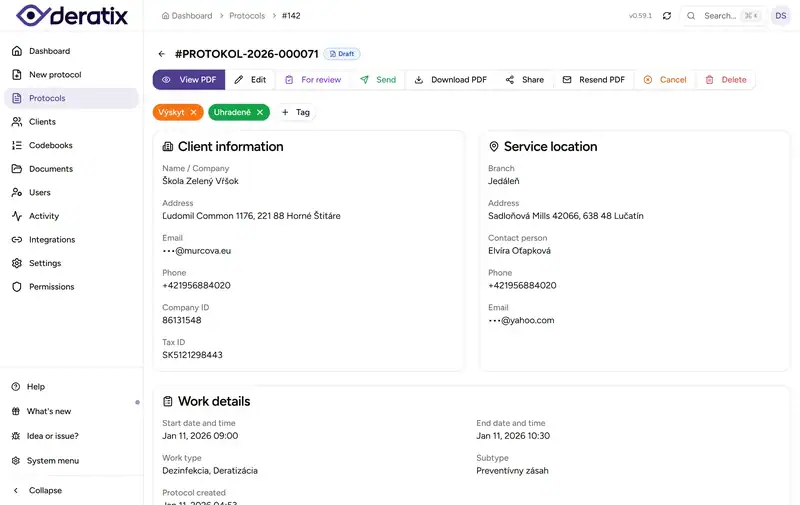
This matters most when someone later asks what exactly changed and which version is current. In the protocol detail, a timeline of events remains visible, showing the PDF, changes, and further steps around submission. The company does not have to explain the difference between email attachments and manually renamed files.
What matters most about the digital protocol
The biggest benefit of the digital protocol is not that it replaced paper. What matters is that it connects data that was previously scattered across forms, photos, signatures, notes, attachments, and subsequent lookups. The technician records once. The back office receives a finished document. The client gets a clear output.
If you want to explore the digital protocol in more detail, continue to digital protocol, creating a protocol, protocol detail, and offline mode.