In many companies, important notes still live only in someone’s head, in an old email, or in a side note somewhere. It becomes hard to tell what needs immediate attention, what is waiting for invoicing, and where a problem keeps recurring.
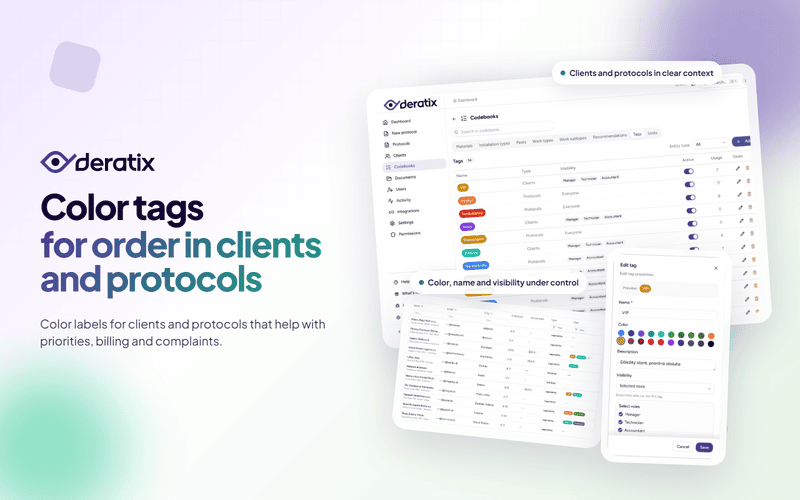
Tags in Deratix give these situations a simple label right inside the system. You tag a client or protocol using your own business logic and instantly see what matters in any list.
When important things stop living only in your head
The biggest benefit of tags is that your company can label its own situations in its own words. You don’t have to adapt to someone else’s system logic. You label exactly what makes sense in your day-to-day operations.
- For invoicing on protocols that your accountant needs to find quickly.
- VIP client for customers where you want to maintain a higher service standard.
- Complaint or Recurring issue where you need to come back to the topic.
- For review on interventions that the manager still needs to verify.
These labels are practical precisely because they don’t explain the system. They explain your work.
Clients and protocols don’t answer the same question
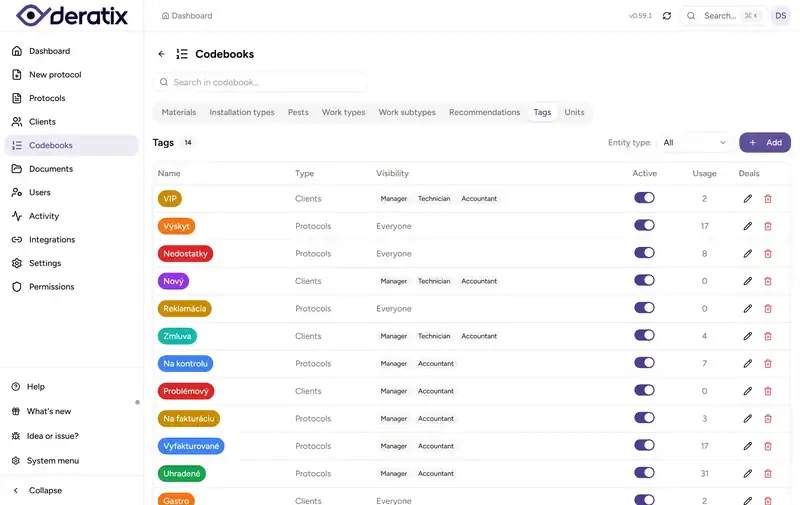
The real strength of this feature is that tags work separately for clients and separately for protocols. This matters because these are not the same thing.
A tag on a client says something long-term about the relationship or the mode of cooperation. For example, that this is a VIP client, a contract partner, or a specific segment of locations.
A tag on a protocol is more of a working label for a specific intervention or record. It helps distinguish what is ready for invoicing, what needs review, or where the same problem keeps coming back.
This separation is what makes tags useful even with a large number of clients. You don’t mix long-term information about a company with the short-term operations around a specific intervention.
A tag only makes sense when you can act on it
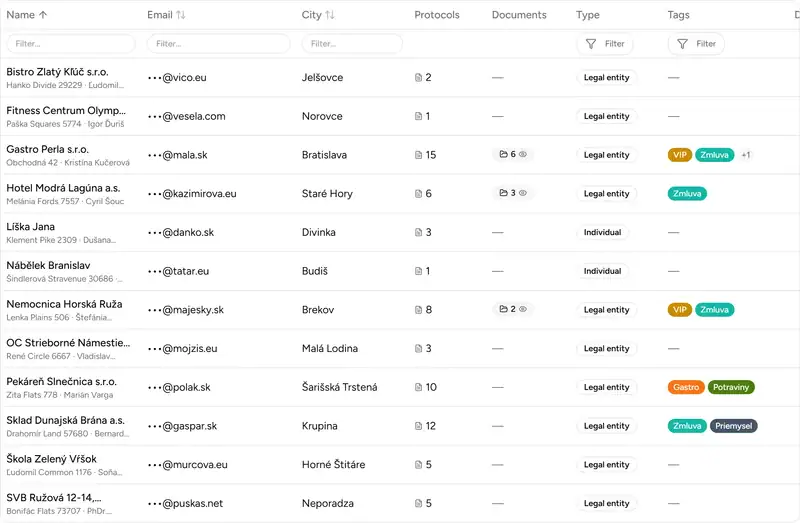
The good news isn’t just that you can save a tag somewhere. What matters is that you actually see it in your lists and can filter by it.
In practice, this means:
- faster orientation in clients and protocols without opening records one by one,
- a cleaner morning work overview when the team filters only what needs attention,
- less manual searching because status or priority is visible at a glance.
With a larger database, this is a difference you feel every day. Not in theory, but when you simply open a list.
Not everyone needs to see everything
In many companies, not every person needs to see all internal labels. A technician doesn’t need to deal with accounting tags, and the accountant doesn’t need to have all the team’s operational internal notes in front of them.
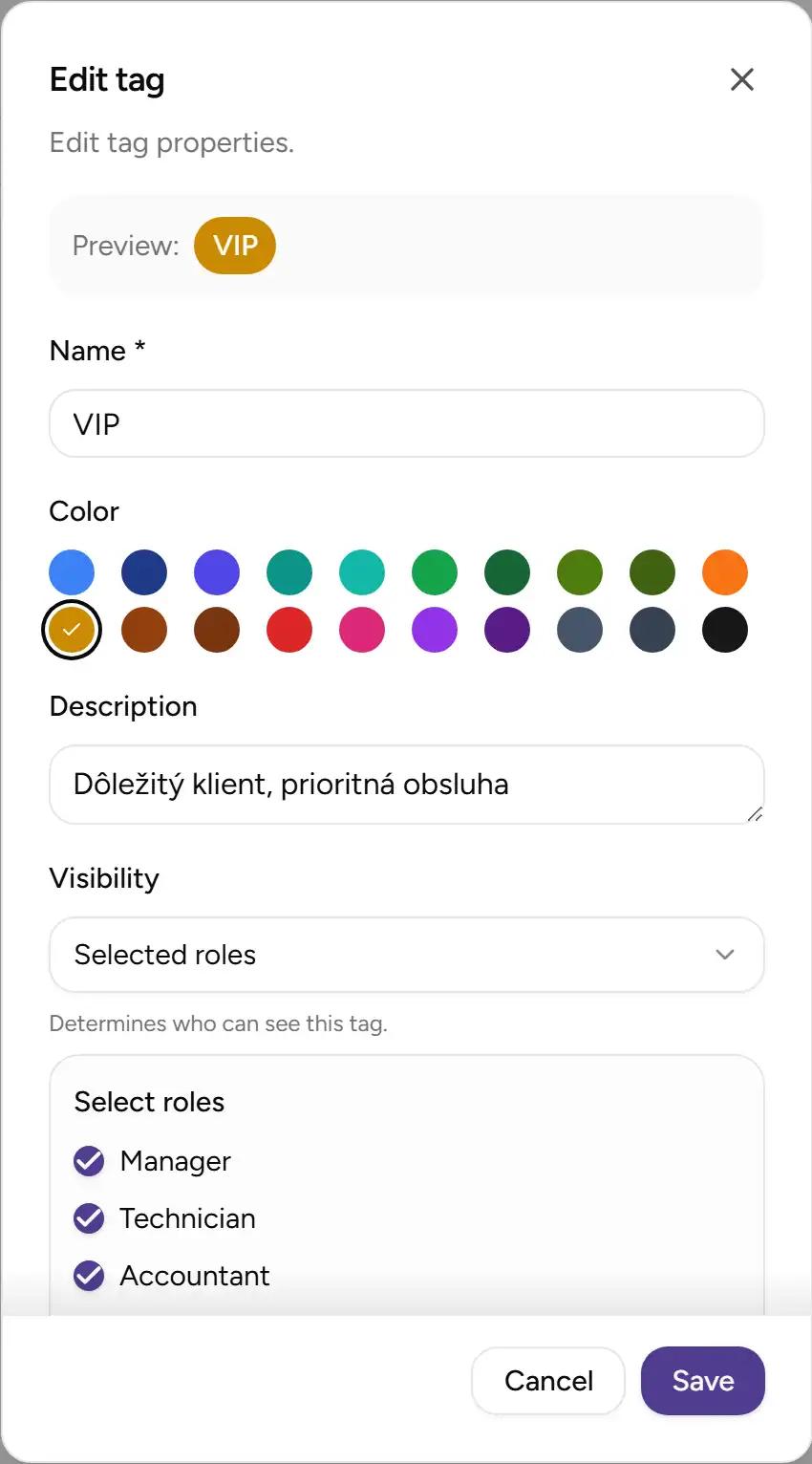
That’s why you can set who sees each tag. It can be visible to the entire team, only to managers, or to selected people. The result is less visual clutter and a better chance that everyone pays attention only to what’s relevant to their work.
This is exactly the moment when a simple feature becomes a practical everyday tool.
Later refinements
Shortly after launch, working with tags was further refined. The color palette was adjusted so that tags are easier to read even during quick daily use. It’s a detail that doesn’t look like much on paper, but with a larger number of labels, it makes a noticeable difference.
A practical example
Imagine a Monday morning at the office. The manager needs to see everything marked For review, the accountant wants to pull up protocols tagged For invoicing, and the team wants commercially important clients labeled as VIP client.
Without tags, this usually means opening records one by one, remembering context, and relying on someone having written it down somewhere last week. With tags, each person pulls up their part of the work faster and without slowing down the rest of the team.
What this means for your company
Tags aren’t interesting because they add color to a list. They matter because they help bring internal order directly into everyday work.
For the manager, it means a faster overview. For the office, simpler filtering. For technicians, less ambiguity about what’s a priority. And for the company as a whole, less work that would otherwise stay scattered across memory, notes, and internal messages.
If you’d like to explore this feature in more detail, check out color tags, client management, tags, and client database.