Basements, production halls, utility rooms. The very places where most pest control interventions happen are often the ones with the weakest signal. When a technician has to postpone part of the data entry because of an internet outage, it creates exactly the kind of extra work that can be eliminated.
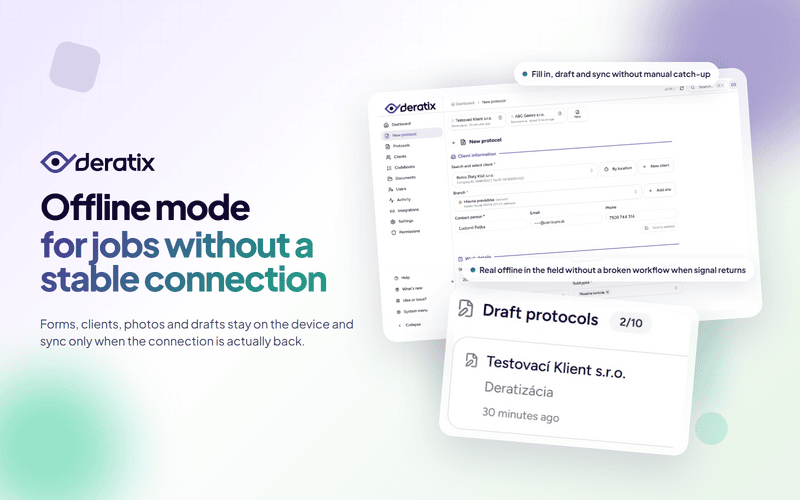
Offline mode in Deratix lets you complete a protocol on site regardless of connectivity. The form, photos, signatures, and in-progress drafts all stay on the device. Once the internet is back, the pending intervention syncs and the office can continue working with it.
The entire form works without connectivity
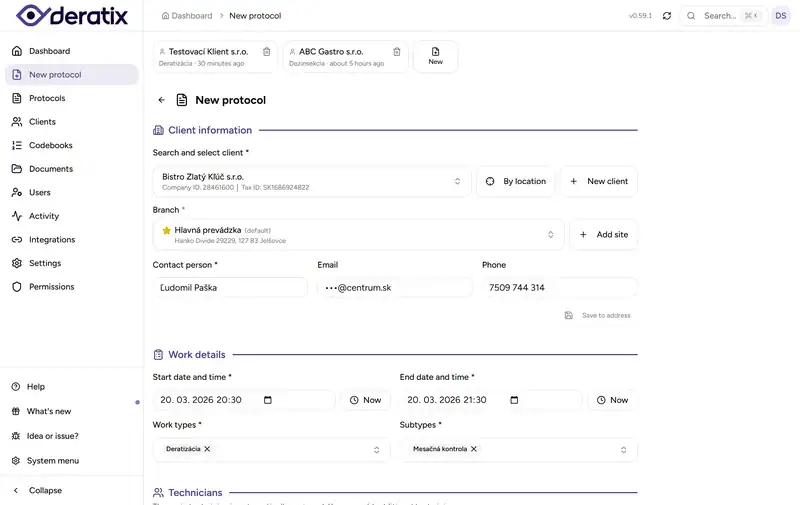
The technician has full access to the protocol form while offline. They can select a client and site from data the device downloaded during the last connection. They fill in the intervention details, pests, materials, devices, recommendations, photos, and signatures.
It is important to know where the boundary lies. A protocol can be created and signed offline, but the final document and its delivery to the client only happen after a successful sync. What matters for the technician is that they enter data once and never have to add anything after the fact.
In-progress protocols are never lost
A more common problem than a total internet outage is an interruption. A phone call, a move to another site, a closed app, or a dead battery. If the in-progress protocol is lost along the way, offline mode does not help much.
That is why in-progress protocols are continuously saved to the device as drafts. When the technician reopens the app, they pick up right where they left off. There is a limit of 10 in-progress protocols with automatic expiration after 30 days.


In practice, this means less improvisation. Instead of jotting details down in notes or verbally filling in the gaps a few hours later, the in-progress state stays in the app.
Synchronization waits for a real connection
When working in the field, it is not enough for the phone to show Wi-Fi or mobile data. The device may be connected to a network that has no actual internet access, or the connection may work intermittently.
Deratix therefore verifies that the internet is actually working before syncing. Pending protocols are sent only after real connectivity is confirmed. If the upload fails, the system retries. The protocol remains visible as pending or failed, so the technician always knows its status.
After a successful sync, protocols appear in the list, client data and catalogs are refreshed, and the office can continue working with the new interventions.
Photos and signatures stay with the same record
During an offline intervention, it is not just text fields that are saved. Photos and signatures are stored on the device and remain linked to the same protocol. Once connected, they are sent together — the technician does not attach anything manually and the office does not have to sort through attachments from a gallery or email.
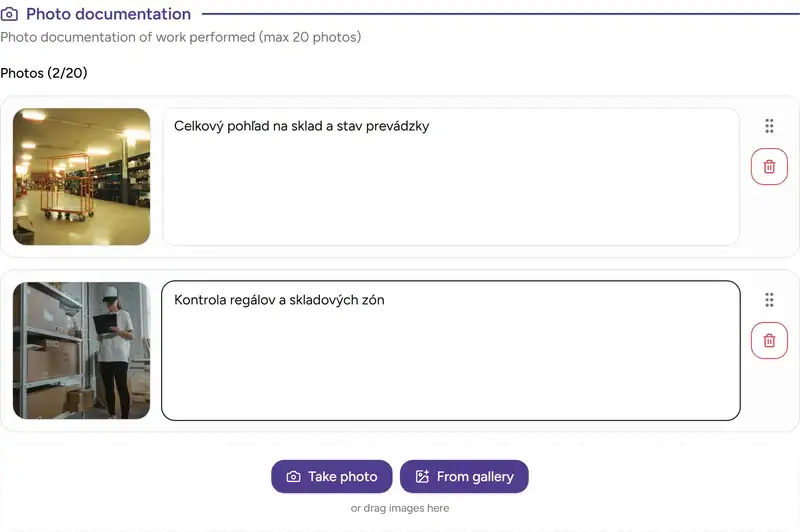
This applies to standalone photo documentation as well as photos attached to deficiencies. Client and technician signatures remain part of the record and are reflected in the final document after synchronization.
What works offline and what requires connectivity
Offline mode does not cover everything equally. Here is a summary:
- works offline: protocol form, photos, signatures, drafts, browsing saved clients and catalogs, browsing previously downloaded protocols,
- requires internet: creating a new client, downloading the final document, statistics, email notifications, and loading new data from the server.
The prerequisite is that the technician has downloaded client data and catalogs before heading into the field. These are updated automatically whenever the device is connected.
You can add the app to your phone’s home screen. It opens in its own window and feels like a standalone work tool in the field, not a browser tab.
Real-world example
A technician performs a routine intervention in a production hall. Part of the facility has a weak signal; the warehouse has none. They start the protocol, add the client and intervention details, photograph the conditions, and have the contact person sign. After leaving the building, the protocol syncs. The office receives a complete intervention with photos and signatures — no further action needed from the technician.
If you want to explore offline mode in more detail, continue to offline mode, digital protocol, photo documentation, offline mode documentation, and creating a protocol.