When a new technician or office staff member starts using the application, the first few days tend to look the same. The same questions, the same phone calls, and the same explanations: where to create a protocol, where to find clients, and what to click during everyday work.
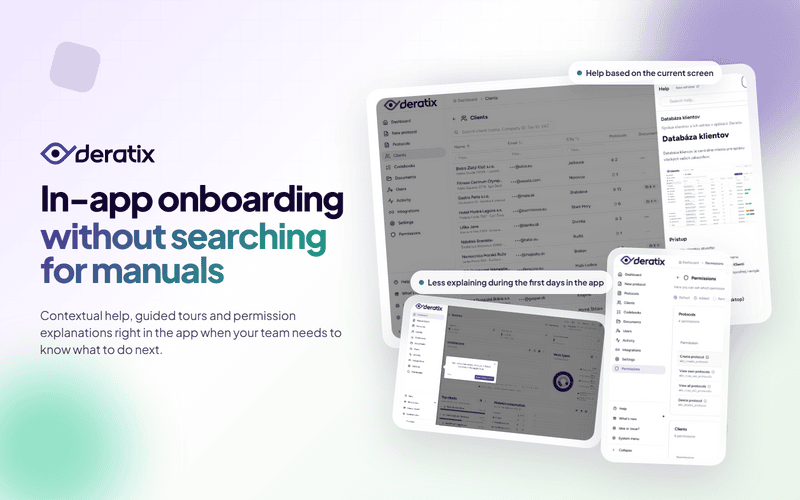
That is why Deratix now provides help right where people actually need it. Instead of searching for a separate manual, users get relevant guidance based on the screen they are currently on — plus short interactive walkthroughs of the main sections when they use the system for the first time.
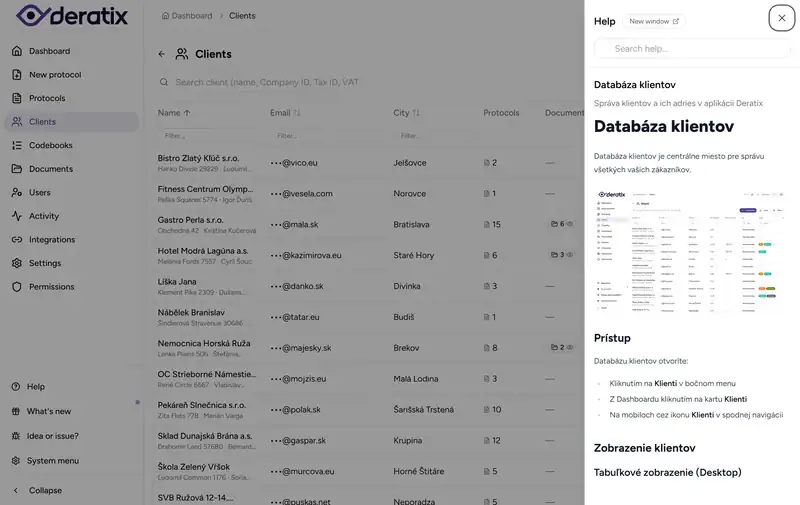
Help opens right where you are working
The biggest benefit of contextual help is that it does not interrupt your work. You do not have to switch to another system or browse through a generic manual trying to find the right chapter.
In the client database you get help about clients, in the protocol form you get filling instructions, and on other screens you get explanations of the specific sections. If the short panel is not enough, a single click takes you to the full documentation with related topics.
New team members get up to speed faster
A manual alone is not always enough. On the first login it is often more important to show where to click and what matters on a given screen.
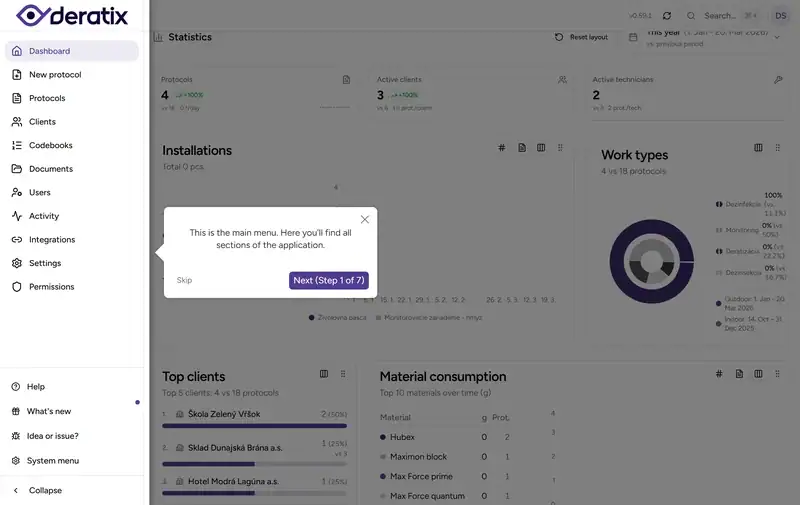
That is why this feature also includes interactive walkthroughs of the main screens. Deratix highlights specific interface elements and explains what they do, step by step. In practice, this is especially useful when a new person needs to get oriented as quickly as possible without calling a colleague at every step.
Guided tours are available for the key parts of the application:
- Dashboard, where the user gets oriented in the main menu and the basic entry points for daily work.
- Protocol form, where they need to understand the filling logic without unnecessary guesswork.
- Client database, where they most often search for a client, address, and work history.
Onboarding no longer depends entirely on one colleague
When a new person gets help directly in the system, the first days of work are not dependent solely on whoever happens to have time to explain things. The guide is at hand when the person needs it, and the walkthrough shows the basic logic without a lengthy introduction.
This is useful not only when a new colleague joins, but also when someone returns to a less frequently used part of the system after a longer break.
A real-world example
A new office colleague joins the company. She needs to quickly find her way around clients, protocol history, and where everyday work begins. Without good guidance, this usually means a series of phone calls and repeated explanations of the same things.
With contextual help she opens the guidance panel right on the screen she is currently on, and she can walk through the main screens using a short tour. The result is not that the company stops training people. The result is that training gets less fragmented by minor questions.
What matters most
The biggest benefit is not another panel in the menu. What matters is that help has moved closer to the actual work.
New team members get oriented faster, colleagues do not have to keep explaining the same basics, and the system helps at the very moment when someone is unsure.
If you want to explore this part in more detail, check out application navigation, client database, creating a protocol, and quick start.